
Players
Shooter Directory
The venue's book of everyone who has shot: searching it, renaming a profile everywhere at once, duplicate first names, and deactivating.
What it is#
 Open full size ↗
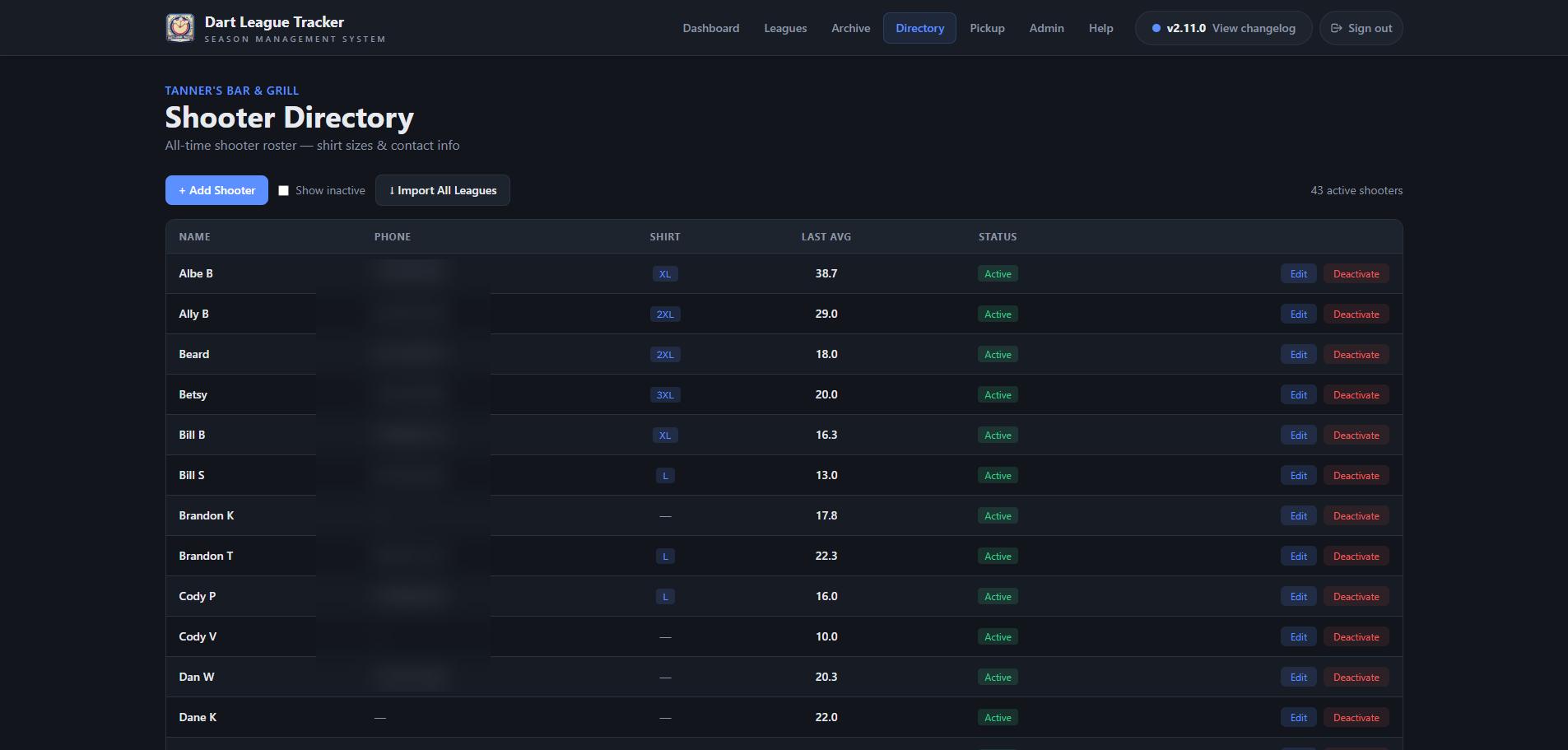
Directory, on the top bar (or in Menu on a tablet), is the master list of everyone who has shot at your venue. It sits outside any one season — each season's shooters are linked to a profile here, and that link is what builds their career profile.
- Find a shooter… searches by name.
- A–Z or Average sorts the list; the bar beside each average is measured against the best in the book.
- Show inactive brings back people who have been deactivated.
Good to know
A league shooter who is not linked still scores and shows in stats normally — they just have no career profile.
One venue at a time#
Each venue has its own directory. Roster setup only offers your own venue's people, so another bar's shooter can never land on your roster by sharing a name.
Good to know
With more than one venue, a picker at the top has an Every venue option. A new shooter is added to whichever venue is showing, so Add is held back while Every venue is selected.
Tip
Phone numbers and shirt sizes are only visible to admins of that person's own venue, and only they can add, edit or import profiles. Public career pages never show contact details.
Adding and importing#
- + Add Shooter adds one person, with phone number and shirt size if you have them.
- ↓ Import All Leagues brings in every league shooter who is not in the directory yet, and links the ones who are.
Renaming a profile#
Rename a profile in the directory and the new name goes to every league entry linked to it, in every season — standings, stats, packets and all. There is no separate “apply” step.
Tip
To change the name in one league only, edit the shooter on that league's Shooters tab instead. That does not touch the directory.
Two shooters with the same first name#
- 1Find the existing profile in the Directory (say Bill).
- 2Rename it with a last initial — Bill B. Every league it is linked to follows.
- 3Add the new player as Bill S.
- 4Add them to the league; the name match links them.
Deactivating vs. deleting#
Deactivating hides a profile from the list and from the profile picker when adding shooters. It does not take them out of any league, and their history stays.
Deleting unlinks every past league entry from the profile, which cuts them off from their career history. Only delete someone added by mistake.
Tip
Somebody leaves? Deactivate. They come back next season? Reactivate and link them — their history is still there.