
Running a season
Teams & Shooters
Rosters with Quick Setup, picking teams, captains, starting averages, subs, replacing a shooter mid-season, and linking to the directory.
Rosters with Quick Setup#
Teams → ⚡ Quick Setup is the same roster screen as the builder's Teams & rosters step: a card per team, a line per shooter, and the team average updating as you type.
- Type a name that is already in the directory and their last average fills in. You can still change it.
- Team names are optional. Team 1, Team 2 and so on is fine.
- Starting averages are whole numbers. They carry the handicap until real games take over — see Average Calculations.
Picking the teams for you#
Pick teams, on the roster screen, drafts them from a list of names, one per line.
- 1Paste or type everyone in, or tap 📋 Use sign-ups. A name on its own takes its average from the directory; put a comma and a number after it to set one yourself — Dane K, 20.
- 2The top averages become the captains, one to a team. Then it goes backwards round the teams — weakest captain picks first — each taking the best shooter left, and round again until nobody is left.
- 3The picked teams fill the cards below, and stay editable.
Good to know
Anyone with no average is picked as a 0, and it says so first. If the cards already have names in, it asks before writing over them.
Saying who the captain is#
 Open full size ↗
 Open full size ↗
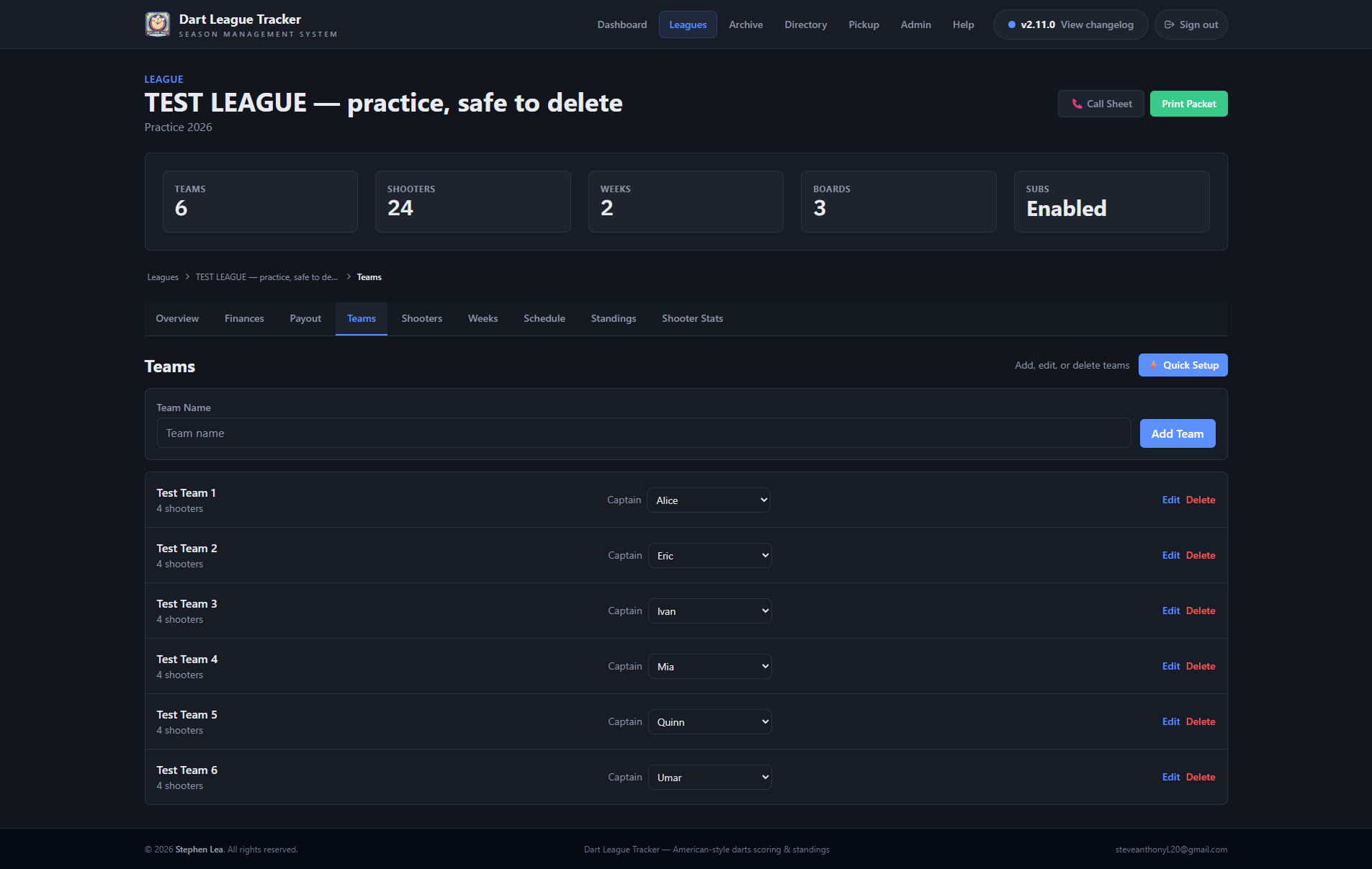
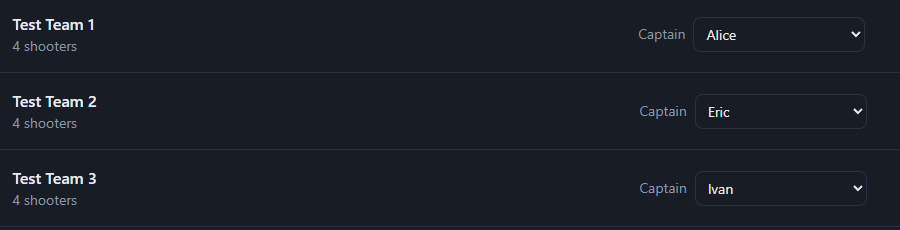
Each team on the Teams tab has a Captain dropdown. Whoever is picked gets the asterisk on the print packet's team pages.
Good to know
Left on — highest average —, the packet takes the highest starting average on the team. Set it the first time a captain is not the best shooter on their team.
Adding a shooter or a sub#
 Open full size ↗
 Open full size ↗
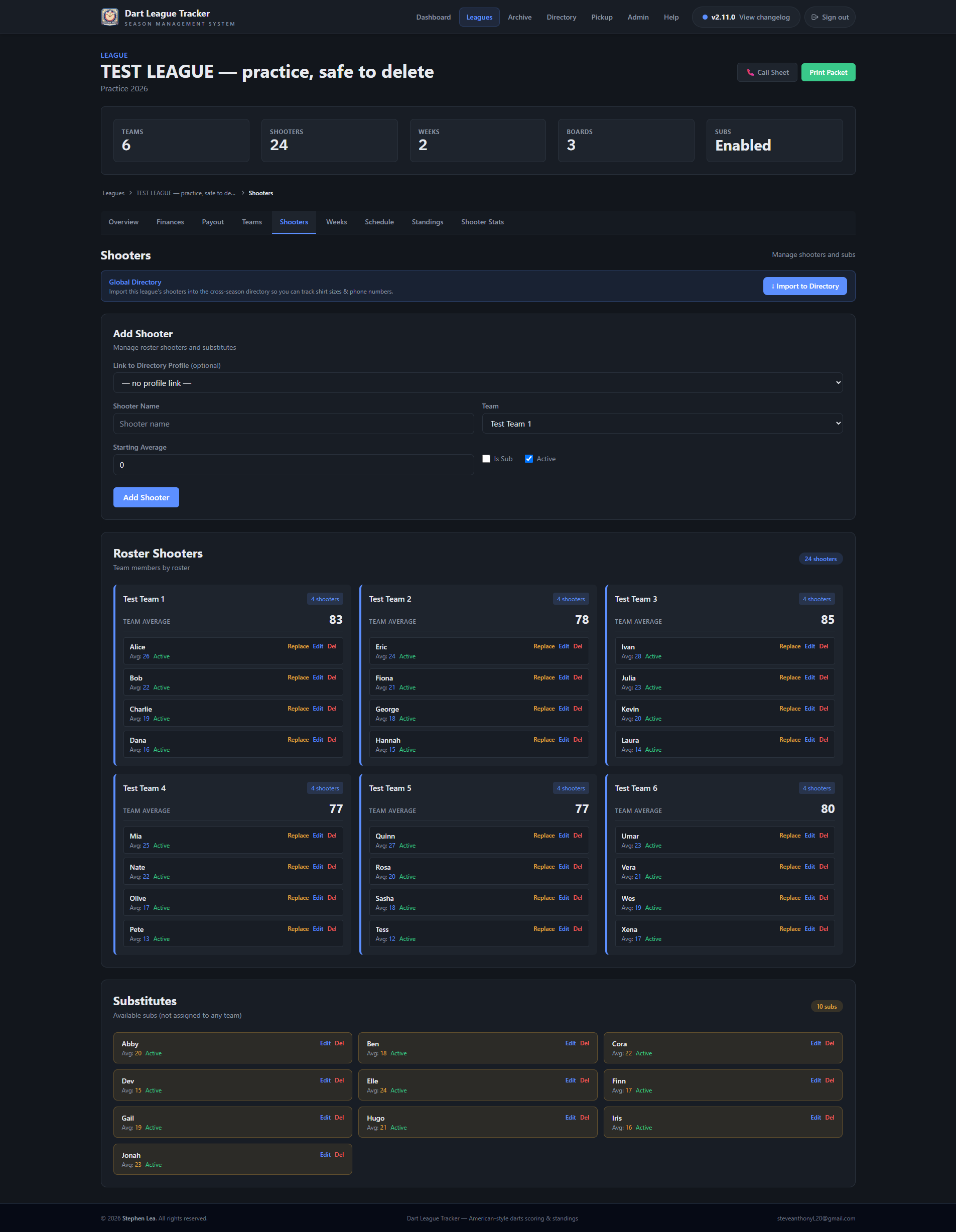
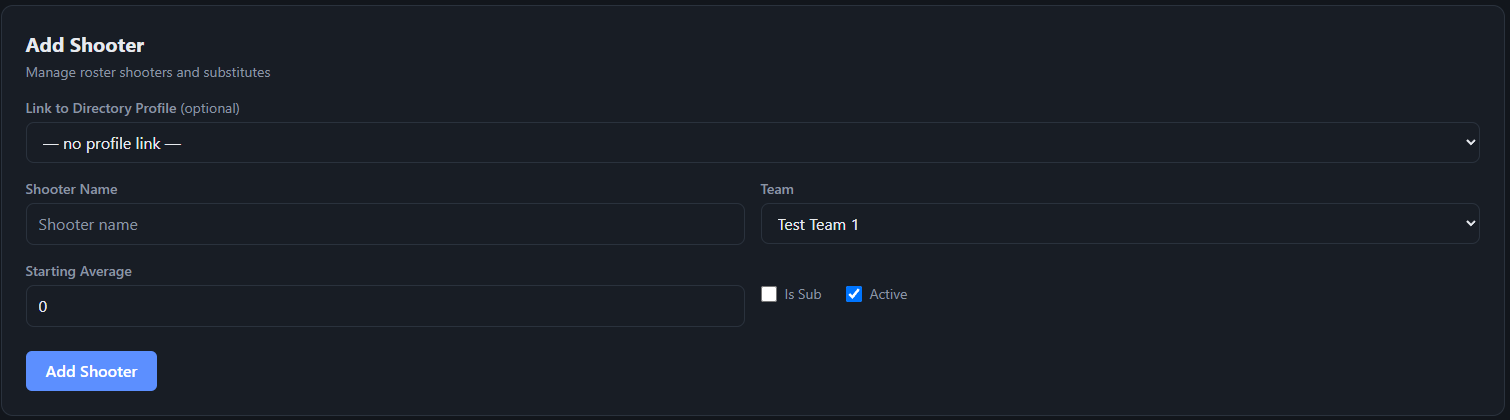
- 1Go to the Shooters tab.
- 2Pick their directory profile if they have one — the name fills in from it.
- 3Enter the name, the team and the starting average.
- 4For a sub, tick Is Sub and leave the team empty.
Tip
A sub can be added at any point in the season, and appears in the board's sub picker straight away. The scorekeeper can also add one from the board with + Add new sub….
When a shooter leaves for good#
Replace beside a roster shooter on the Shooters tab swaps a sub onto the team in their place. The shooter who left is made inactive — their stats stay — and the sub moves onto the team roster.
Good to know
For one night, use the sub picker on the board instead. Replace is for the rest of the season.
Marking a shooter inactive#
Untick Active to take a shooter out of new score entry while keeping everything they have already thrown.
Linking to the directory#
Each league shooter can be linked to a profile in the Shooter Directory. The link is what puts their season on their career profile.
It happens by name when a shooter is added. To link by hand, use the profile picker on the Shooters tab.
Tip
See Shooter Directory for renaming a profile everywhere at once and for two shooters with the same first name.